EDCI 336 - Reflections and Inquiries

Category: Uncategorized

First Rides!

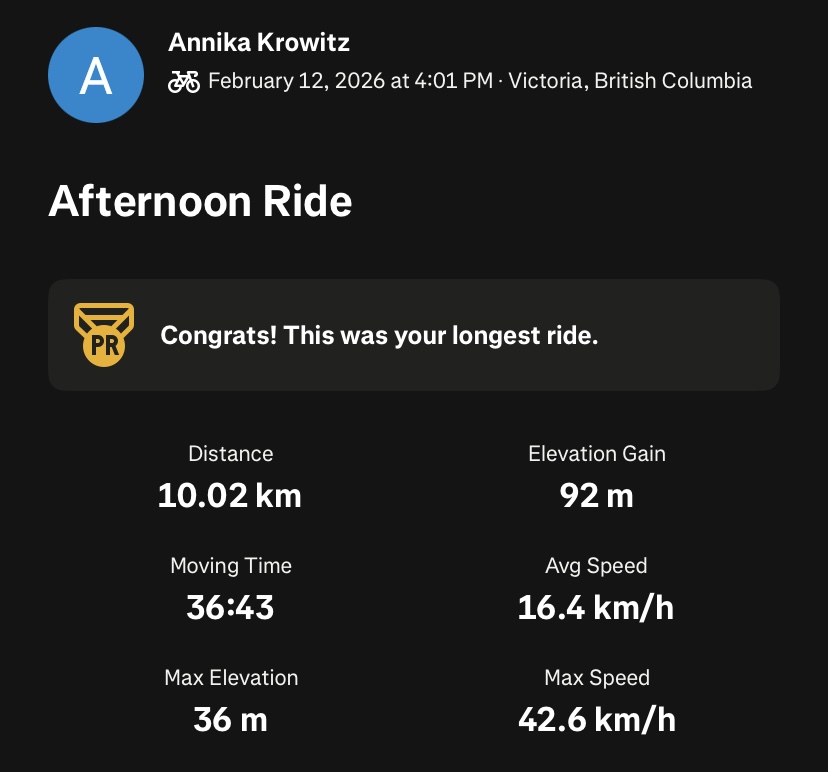
Almost two weeks since the repair process and I’ve gone on several bike rides since! My first ride back was an easy breezy 10km loop around Oak Bay. A couple steep uphills and downhills to keep things interesting and mostly right along the coastline. Unfortunately, I timed the ride poorly with the end of the school day which meant there was (relatively) quite a bit of traffic around the quiet Oak Bay area. During my ride, I listened to a podcast in one AirPod and left my other ear open to the surrounding environment. My hands got pretty cold from being exposed to the chilly air for so long on the handlebars so I made a note to bring a pair of gloves in the future.
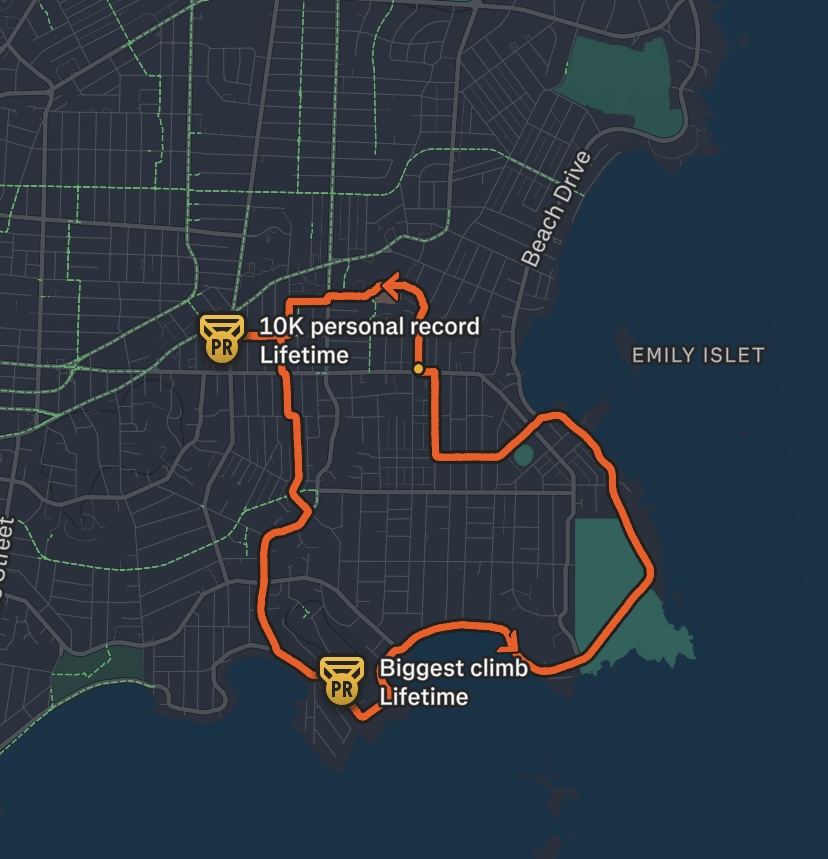
Screenshot of my route, tracked on Strava
Screenshot of the stats, tracked by Strava

My next ride was a couple days later, I decided to bike to my friend’s apartment downtown. This is my first time biking to a specific destination and I was especially nervous to try biking in the downtown area. I planned my general route ahead of time in Google Maps to find the most efficient but bike-friendly route. Bike-friendly meaning minimal elevation change, designated bike lanes, quiet streets, and minimal left-hand turns. I didn’t have a phone mount for my bike so I did my best to memorize the route before setting out, with gloves on this time. Overall this bike ride went well, I got turned around somewhere towards the end as I attempted the navigate quiet residential streets as a means of avoiding Blanchard, but reorienting myself was quick work. The ride back home was much more relaxed as I decided to take a longer, less direct but much more enjoyable route along Dallas. I didn’t record either of these rides on Strava unfortunately.

I’ve been looking into getting a phone mount for my bike so I can navigate quicker and more safely. Here’s one I found for sale at Oak Bay Bikes.

Week 5 Reflection

This week I had the opportunity to attend a Pro-D session hosted by Esther Maloney from the National Film Board. My colleagues and I were introduced to the NFB website, and its education collection. Esther walked us through how to navigate the collection by filtering for subject, theme, age appropriateness, year of release, director identity, length, filming location, etc. I was blown away by the sheer quantity of educational films available for free for any subject imaginable. Some films even have supplemental lesson outlines to go along with them with additional educational resources for a teacher’s immediate use.

I’m incredibly glad that I know this resource exists now and I’ve already started browsing the collection for films to make a note of not only for future classes but also just for my own enjoyment. One that’s already stuck out to me is Borealis by Kevin McMahon. Released in 2020, it portrays the diverse relationships that exist between plants and animals in Canadian forests. As the NFB description outlines, this film is suitable for students aged 15-18 and covers topics relevant to Geography, Science, and Social Studies. There is also a mini-lesson designed to be delivered in conjunction with the film that focuses on the question: “With so many human and natural actions impacting the boreal forest, how does it continue to thrive?”

Trailer for the film Borealis (2020), available to watch on the NFB website

It’s hard to identify any flaws with the NFB from an educator’s perspective. One minor issue that came up during the Pro-D session was that the NFB collection is only accessible from within Canada. I know that a few of my colleagues are doing practicums abroad and therefore will not be able to access these films.

Week 4 Reflection

I enjoyed exploring Google Classroom this week. I saw it being widely used by teachers at Link2Practice at Belmont and was intrigued to learn more about the platform. I set up my own mock classroom and created sample assignments and announcements. Overall, Google Classroom seems like an extremely useful tool for teachers to streamline their coursework, grading, and communication with students and their guardians. I think the ability to create differentiated learning opportunities by creating small groups of students or personalized assignments for individuals in a subtle way that doesn’t single anyone out in front of their peers is an excellent tool. I also appreciate having the ability to pre-upload and schedule assignments to become active in advance. I observed a teacher at Belmont use this strategy to keep his classes organized and well-prepared. My only worry for Google Classroom is becoming too reliant on the digital platform which might have a negative impact on students and guardians that aren’t very tech-literate or find tech in general to be inaccessible for financial reasons or otherwise.

I had never heard of Google Keep before this lesson and I had a lot of fun trying it out. I think out of all the content curation tools listed, Google Keep makes the most sense for me because I already use the Google suite for virtually all personal and professional tasks. It makes sense then to keep things consistent, and utilize the most compatible tool. I appreciate that multiple tabs can be created to categorize different types of resources or topics. The one flaw I might predict, knowing myself, is this risk of becoming too focussed on the building and curation of the collection, and neglecting to effectively use the resources I’ve gathered.

This webpage describes some interesting tips for getting the most out of Google Keep.

© 2026 Annika’s Blog

Theme by Anders NorenUp ↑